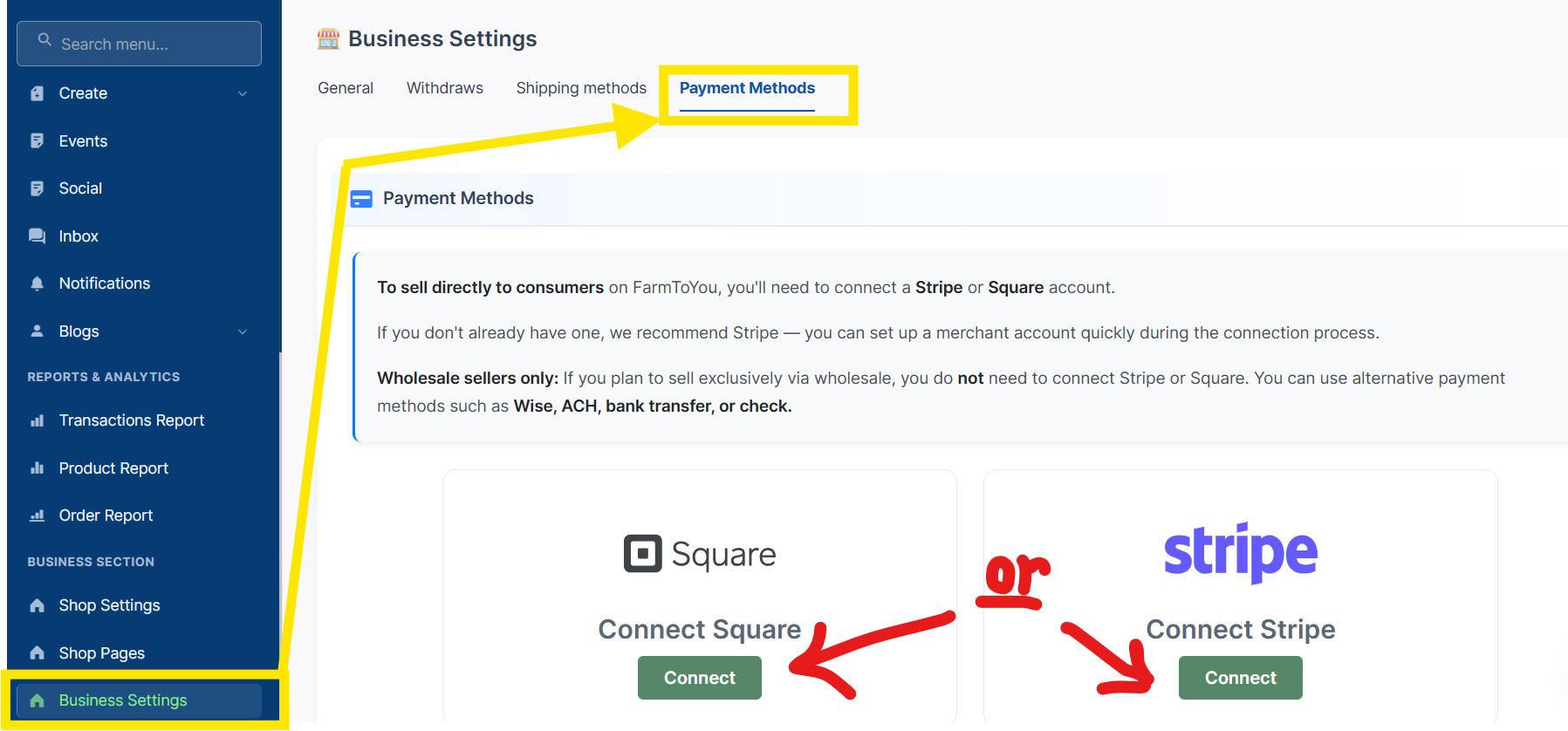
The Business Settings section allows you to configure your store’s financial and shipping setup. Below we'll help you get your Business Settings > Payment Methods setup:
-
Connect your Square or Stripe account. This will allow you to take payments from customers. For wholesale sales you can also accept other forms by putting your remittance in the notes section.
-
**Billing Methods **connect allows us to process our transaction fees.
Let's get you paid!
To sell directly to customers, you’ll need to connect a Stripe or Square account, both are secure payouts partners that support multiple payment methods.
Other Benefits
-
Fast, Reliable Payments
-
Stripe and Square handle credit/debit card transactions. Payments go directly into your bank account - no waiting for checks or manual transfers.
-
Customers can pay with multiple options: Visa, Mastercard, Apple Pay, Google Pay, and more.
-
Flexible Payouts Choose how often you receive your earnings (daily, weekly, or custom schedule).
-
Manage refunds and disputes through your Stripe/Square dashboard
-
-
Security & Transparency You Can Trust
-
Both platforms are PCI-compliant, which means data is encrypted and secure.
-
Easy reconciliation with your bank and accounting software with clear transaction reports.
-
Helps with bookkeeping, taxes, and understanding your sales trends.
-
-
Making a choice:
Payments sync automatically with your FarmToYou orders, making it easy to track what’s been paid, manage reporting, and reconcile your sales.
Wholesale-only sellers may use either option and can also offer additional payment methods if preferred.
Connect your Square or Stripe Account
Don't have an account? No problem! By following the step, you'll have the option to setup an account or connect to an existing account.
-
Click Connect button
-
Sign in to your Stripe account or create a new one
-
Complete the onboarding and verification steps
-
Approve the connection
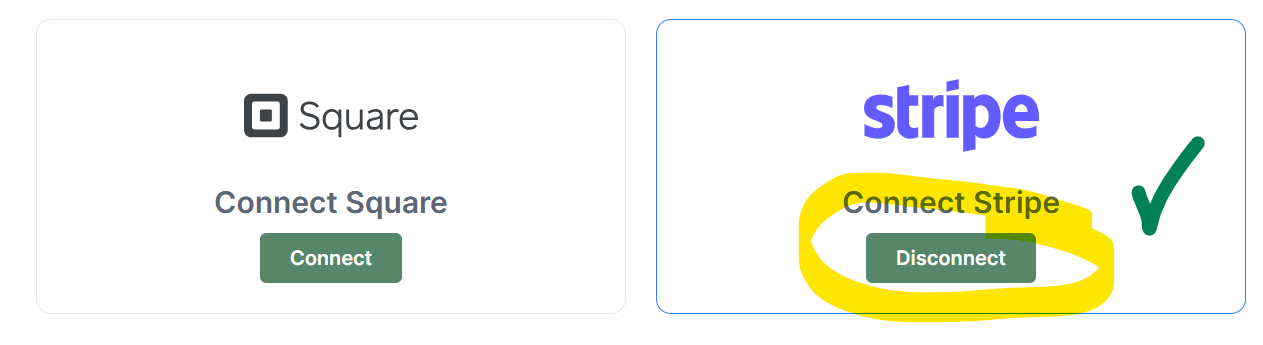
Once connected, the button will change to Disconnect , confirming the integration is active.
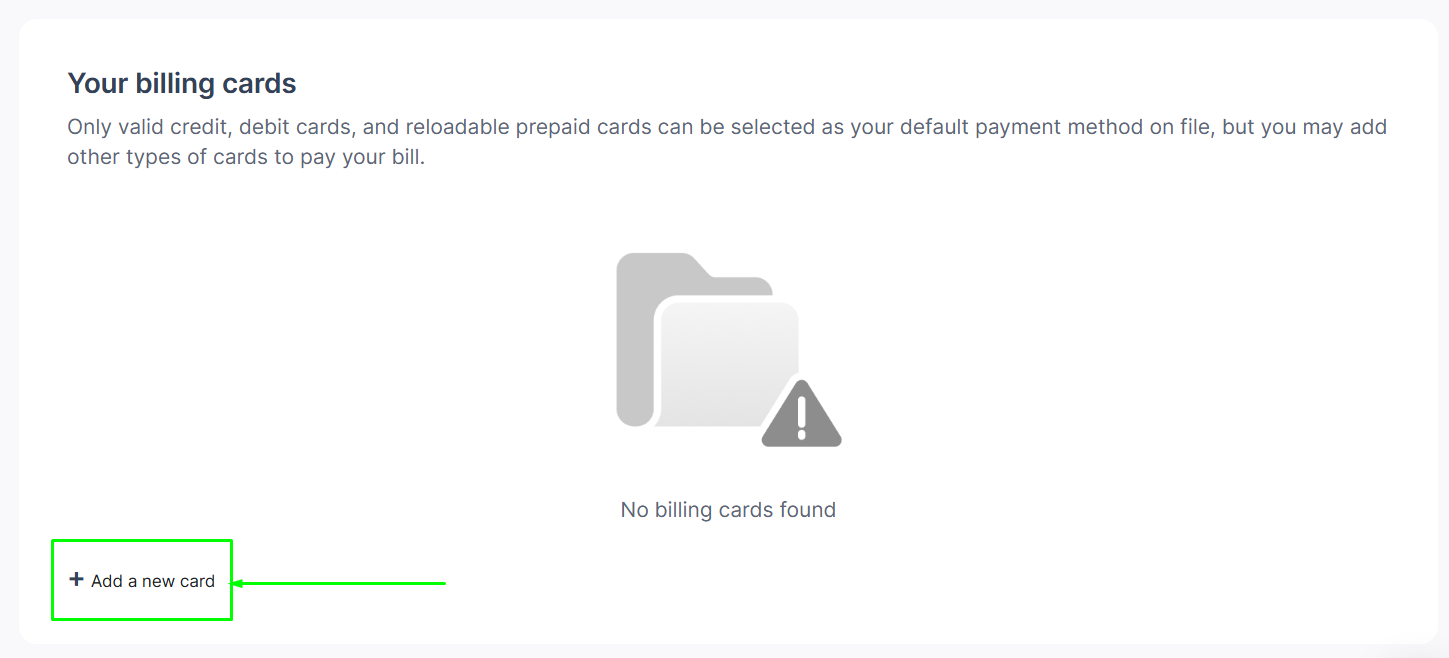
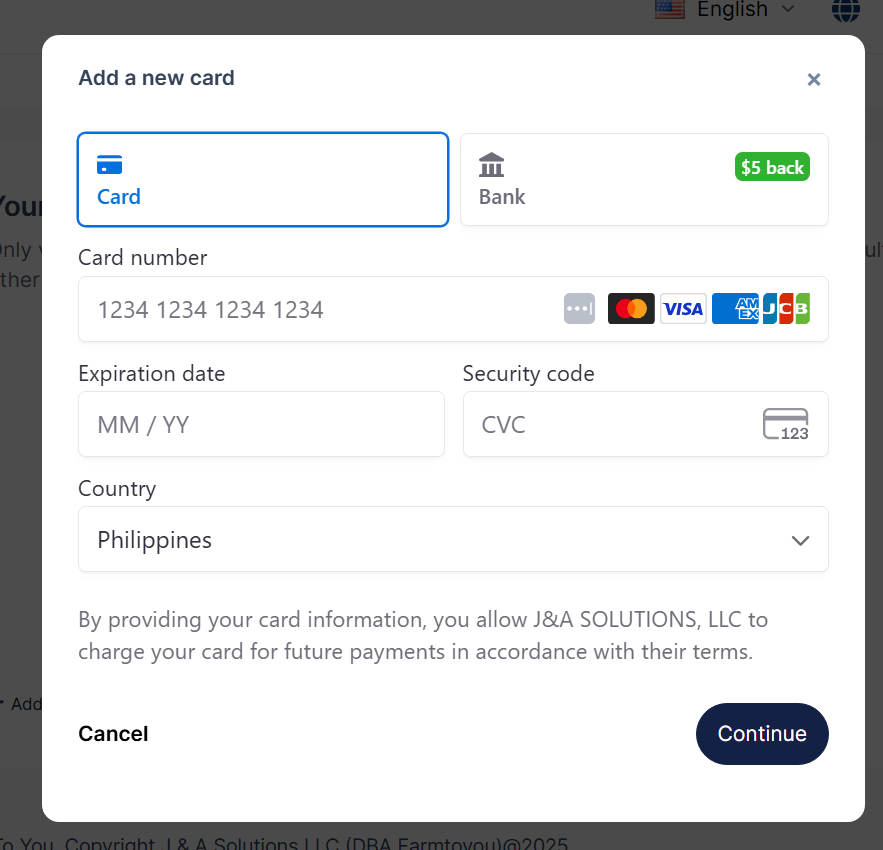
Billing Method: your billing details to pay FarmToYou
FarmToYou uses your saved billing card to charge transactional fees and any approved services associated with your account. Learn more.
-
Add and manage your valid credit, debit, reloadable prepaid cards, or account in this section.
-
You can store multiple cards and set one as your default payment method.
Select Added a new card , simply fill in all the card details and click Continue.