Step 1: Go to Your Profile
-
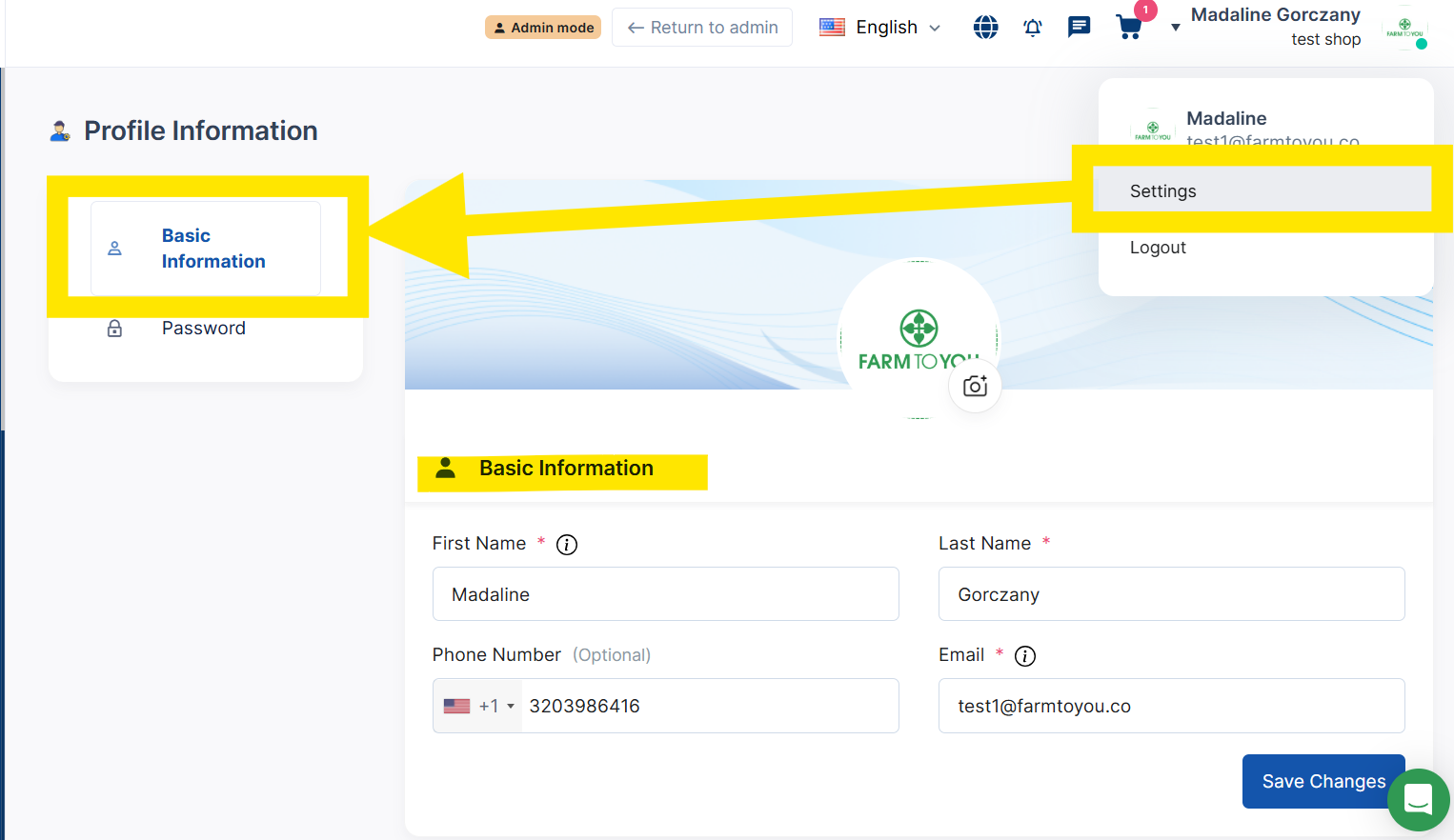
On the top right corner of your Producer Portal, click your Profile icon (this may show your name and/or your company logo or profile picture).
-
From the dropdown menu, select “Settings.”
-
Select “Basic Information” - which is also the top section.
Step 2: Review or Update Your Details
-
Enter or update your phone number and email address.
Tip: Make sure you use an address and phone you check regularly
Step 3: Confirm and Save
-
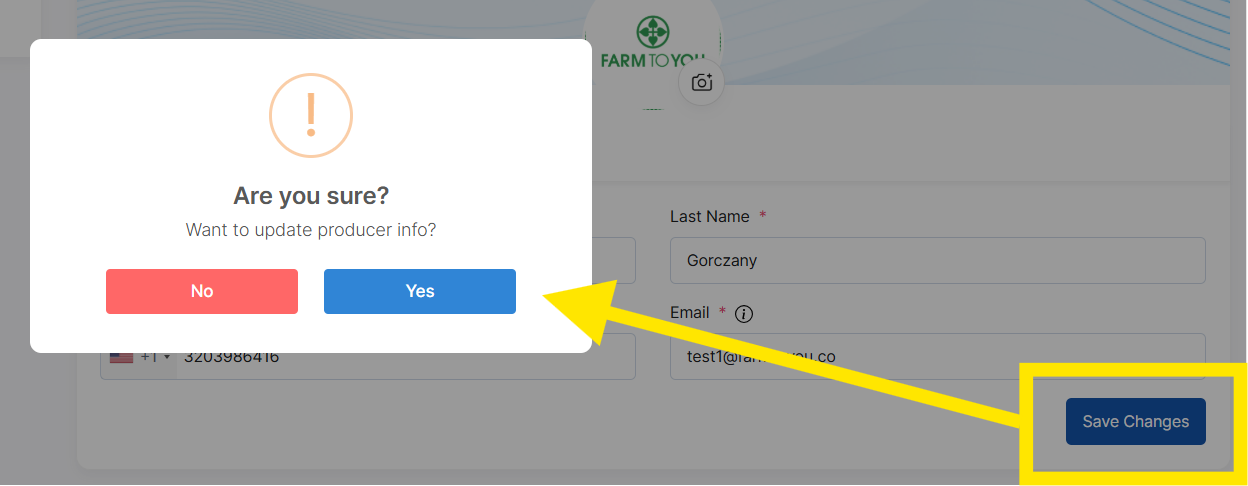
Click Save Changes at the bottom of the page.
-
You’ll see a confirmation message once your updates are applied.